
Skip to content

Comparison

Hanko vs Bonsai: which is better for client work?

Bonsai bundles time tracking and task management with its proposal and invoicing tools. Hanko trades that bundle for stablecoin payments and flat team pricing.

Pricing checked September 2026. Bonsai pricing cross-referenced across multiple independent sources (Capterra, G2, third-party pricing breakdowns) as of September 2026, since Bonsai's own pricing page blocked automated verification at research time — confirm current tiers directly at hellobonsai.com/pricing before quoting to a prospect. Hanko figures from Hanko's own pricing page.

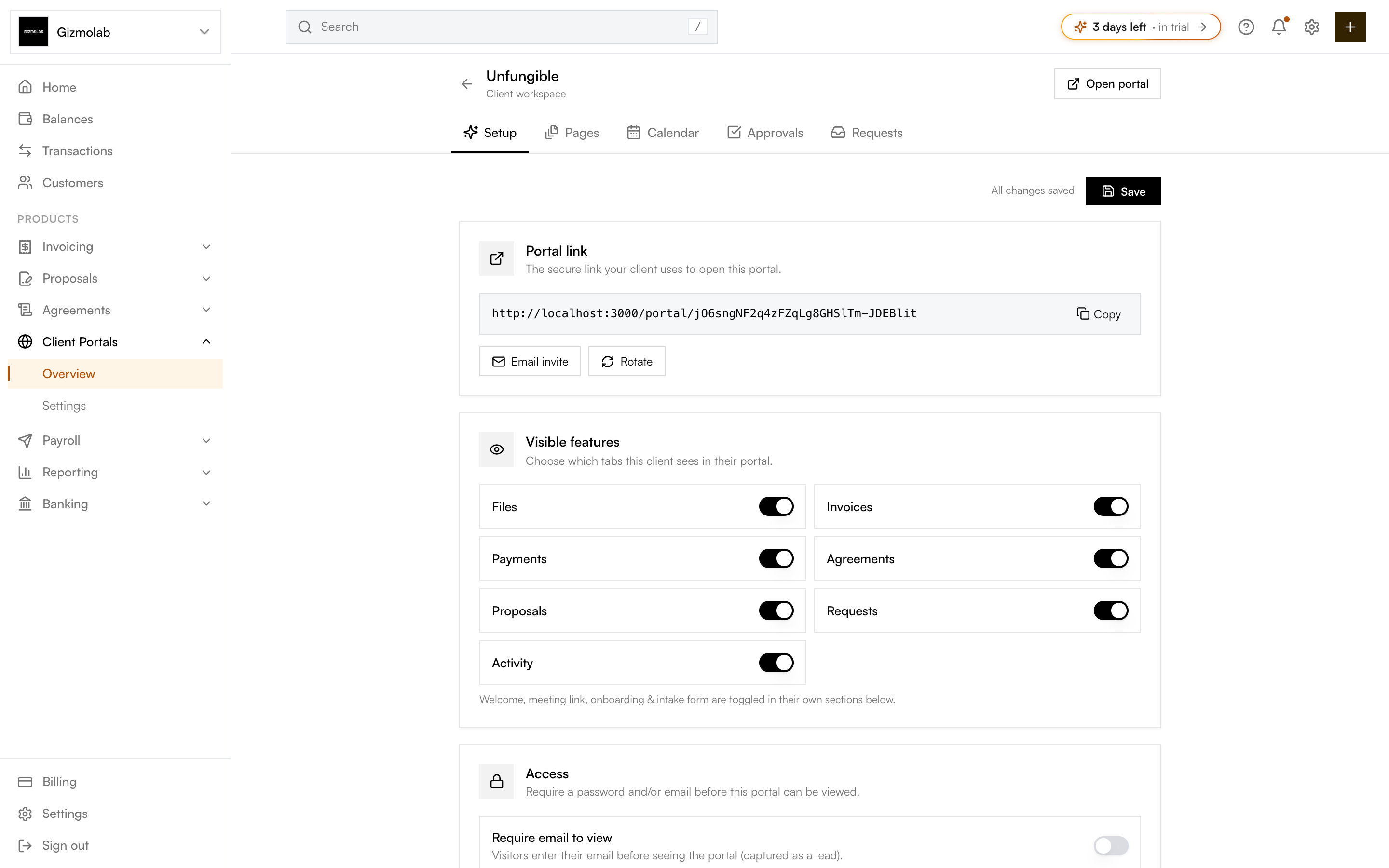
Side-by-sideHanko vs BonsaiThe Hanko client portal setup interface
Shortdirect answer first
9comparison rows
4reader questions

Bonsai is built for freelancers and small teams who want project management — time tracking, tasks, a CRM — alongside proposals, contracts and invoicing, priced per user across four tiers. Hanko doesn't do time tracking or task management; it focuses on the proposal-to-payment handoff and adds a stablecoin payment option Bonsai doesn't have. Which is the better fit depends on whether you need the project-management layer or the payment flexibility more.

Best for

Hanko

Agencies wanting flat team pricing & stablecoin payments

Bonsai

Solo freelancers wanting time tracking + invoicing bundled

Starting price

Hanko

$19/mo flat

Bonsai

~$9/mo per user (Basic tier)

Time tracking / tasks
HankoNot offered
BonsaiYes (from Basic tier)
Proposals
HankoYes (Starter)
BonsaiYes (from Essentials, $19/mo)
E-signing
HankoYes (Starter)
BonsaiYes (from Essentials)
Invoicing
HankoYes (Starter)
BonsaiYes (from Essentials)
Client portals
HankoYes (Pro, $49/mo)
BonsaiYes (from Premium, ~$29/mo)
Stablecoin payments
HankoYes
BonsaiNot offered natively
Team pricing
HankoFlat — up to 5 on Pro
BonsaiPer-user across all tiers

Pricing checked September 2026. Bonsai pricing cross-referenced across multiple independent sources (Capterra, G2, third-party pricing breakdowns) as of September 2026, since Bonsai's own pricing page blocked automated verification at research time — confirm current tiers directly at hellobonsai.com/pricing before quoting to a prospect. Hanko figures from Hanko's own pricing page.

What Bonsai includes that Hanko doesn't

Bonsai's entry tier bundles time tracking, task management, and a lightweight CRM before you even reach proposals or invoicing. For a freelancer managing project work and billing from the same tool, that's a real advantage Hanko doesn't try to match — Hanko has no time-tracking or task-management feature.

What Hanko includes that Bonsai doesn't

Hanko adds a stablecoin payment option on invoices, alongside card, ACH and wire, which Bonsai's integrated payment methods (Bonsai Payments, Stripe, PayPal) don't offer natively — a Bonsai user wanting to accept crypto has to add manual, off-platform payment instructions rather than a built-in option. Hanko's Pro plan is also a flat rate for up to 5 team members, where Bonsai prices every tier per user.

Pricing shape: flat vs. per-user

Bonsai's tiers (reported around $9, $19, $29 and $49/month) are priced per user, so a 3-person team roughly triples the monthly cost at whichever tier they're on. Hanko's Pro plan is a flat $49/month covering up to 5 team members — for a small team, that changes which plan is actually cheaper even if Bonsai's entry price looks lower for a single user. Confirm current per-tier pricing directly with Bonsai, since aggregated pricing figures vary slightly across sources.

Client portal access

Bonsai includes a client portal starting on its Premium tier (reported around $29/month per user); Hanko includes it on Pro ($49/month flat, up to 5 seats). For a solo freelancer, Bonsai likely reaches a portal at a lower price point; for a small team, Hanko's flat pricing can close or reverse that gap.

Choose Hanko if

  • You want a stablecoin payment option on invoices
  • You have a small team and want flat pricing instead of per-seat costs
  • You don't need time tracking or task management bundled in

Choose Bonsai if

  • You're a solo freelancer who wants time tracking and task management with your invoicing
  • You're billing a single user and want the lowest entry price
  • You don't need crypto payment options

Final verdict

Choose Bonsai if you're a solo freelancer who wants project management — time tracking, tasks, a CRM — bundled with proposals and invoicing. Choose Hanko if you're a small team that wants flat pricing and a stablecoin payment option Bonsai doesn't offer.

Frequently asked questions

Does Bonsai support cryptocurrency payments?

Not natively. Bonsai's integrated payment options are Bonsai Payments (card and ACH), Stripe, and PayPal. Crypto payments would have to be arranged as custom, off-platform payment instructions.

Is Bonsai or Hanko cheaper for a team of 3?

Bonsai prices per user across its tiers, so a 3-person team pays roughly 3x the per-user rate. Hanko's Pro plan is a flat $49/month for up to 5 team members, which can be cheaper for a small team depending on which Bonsai tier you'd otherwise need. Confirm current pricing on both sites before deciding.

Does Hanko include time tracking?

No. Hanko focuses on proposals, agreements, invoicing, client portals and payments rather than time tracking or task management.

Which plan includes a client portal?

On Bonsai, client portals are reported to start on the Premium tier (around $29/month per user). On Hanko, client portals with a custom domain are included on the Pro plan ($49/month, up to 5 team members).

A walnut arc rising above pale stone steps

YOUR NEXT CHAPTER

Bill your team on one flat plan, not per seat

Proposals, contracts and invoicing for up to 5 people on one Pro plan — with a stablecoin option Bonsai doesn't have.